To submit your ideas, simply click here, or click on the banners on the left. We look forward to your ideas!
Monday, July 28, 2014
Help us get better
To submit your ideas, simply click here, or click on the banners on the left. We look forward to your ideas!
Friday, March 28, 2014
New content to promote your store
You have probably noticed some changes to resellersonly.com and you will be seeing more of those in the near future. Today we've added a new set of tools to promote your store as well as a new set of banners to generate sales and attract other resellers.
Banners are a quick, easy and powerful tool for your Reseller business that can go almost anywhere. You can pop them in emails, or place them on a partner’s website. You can use them on your own web site, in newsletters, or anywhere else you want to promote our reseller program. Check out these new tools here.
Wednesday, November 6, 2013
Enhanced Options and accessories at NextDayPC.com
You'll find the correct options and accessories for individual products right there, making it easy to locate the right memory, hard drive, cable or other items you may need.
Make sure to add these additional accessories to a proposal so you'll be able to make some additional revenue.
Wednesday, April 24, 2013
Great Offer from Soluto
If you are an IT consultant or manage the IT department and would like to be able to spend less time troubleshooting your customer's computers and be pro-active, Soluto is a great solution.Soluto is a web service that lets anyone get more from their own PC, and help friends, family and colleagues to make their PCs better too. It works remotely, over the web, so the PCs you’re managing can be anywhere, in another country or even switched off.
You no longer need to schedule updates and it will never disturb the person you’re helping. Soluto finds the perfect time when the PC is idle to run all of the changes.
Control, troubleshoot and update 10 PC's for $8.33 a month. Click here to look at the details.
Tuesday, May 8, 2012
Pay with PayPal or Amazon

It's our mission to offer you and your customers easy and safe ways to shop online and we're happy to let you know that we now accept Amazon Payments and PayPal Checkout.
When you're ready to checkout, simply click the "Checkout with Amazon" or "Checkout with PayPal" button and log in using your e-mail address and password. You'll easily and quickly access your account information and return to the checkout page to complete the order.
We hope you and your customers will take advantage of these new payment options. Thank you for your continued business.
For more information about Amazon Payments, please click here.
For more infortmation about PayPal, please click here.
Wednesday, August 17, 2011
The New Storefront is Up
It has been a while and we want you to know we haven’t forgotten about you. Since the beginning of this year we have been working hard on the storefront to make the buying experience a much nicer one than you have been used to.
As of last Thursday you and your customers can enjoy a completely revamped NextDayPC.com.
Here are the most significant changes:
- It is much more user-friendly, looks much better and we also re-wrote the system that ensures you get credit for your sales
- We have moved to a different datacenter which visibly means much faster load times
- You can now use so-called masking or simply use frames on your own web site to display the store (up to the point of customers adding items to their cart)
Up until the end of October we will be adding additional features to the site for both you and your customers, so make sure you visit your own storefront once in a while.
For those of you who have not linked their own site to their storefront, or if you simply need a reminder, visit this link.
Give the store a try and let us know what you think by email us here: webmaster@nextdaypc.com
Thank you for continued support, we love to hear from you!
Monday, November 8, 2010
Getting Started
For those of you you have just signed up or need to brush up on their knowledge about our Reseller program we have created 8 videos that explain some of the features and possibilities of both the storefront and resellersonly.com You can find these videos atwww.resellersonly.com/tutorials or you can go directly to YouTube by clicking here: www.youtube.com/resellersonly. We will be posting more and more videos over time, but please do not hesitate to email your requests. We will try to accommodate as many requests as possible. Please click here to describe your request.
Friday, April 23, 2010
Partnership for a Cleaner World
NextDay Network has partnered with EarthEra to help offset Carbon emissions. In a long term agreement NextDay has committed to contribute at least $1 for every $100 resellers and customer spend, to the EarthEra Renewable Energy Trust. The goal of the EarthEra initiative is to add more clean renewable energy to America's power now. In addition to the standard contribution by NextDay Network we offer the customer the option to match the contribution or even add to the standard contribution.
We have made it very easy for the customer to make the contribution and to help offset the Carbon Footprint. On the shopping cart page you’ll see the contribution NextDay will make and the option to add the same contribution. If the customer decides to opt-in we’ll add the contribution to the cart. It’s that easy!
Thursday, April 8, 2010
Facebook and easier Reseller Log In
We know it’s not easy getting your customer’s attention nowadays so we’ve added an extra layer of convenience. Our weekly Hot Deals email now has a simple link to Facebook so you can add the Hot Deals to your profile in a few seconds. So look out next Tuesday for the link in the email.
If you’re not receiving the weekly Hot Deals newsletter, check your email subscription settings in your Reseller Account information or check your junk email folder. The Hot Deals Newsletter is sent out every Tuesday around 9 AM Pacific Time.
Easier Log In
Here at NextDay we really like great ideas, so when one of our resellers recently suggested to use the store ID to log in, we were wondering why we hadn’t thought of this! So, our programmers immediately got started and you can now use a much simpler way to log in.
So, if your URL is something like this www.nextdaypc.com/mypcstore, you can now sign in as shown in the image below. If you have not set up a Store ID or if you want to change it, please click here.
Tuesday, March 9, 2010
Testing our new Store
If you want to give us your feedback, please send it to webmaster@nextdaypc.com
Thank you!
Wednesday, January 20, 2010
Help us Help Haiti
Not just now but for many years to come Haiti will need our help getting over this horrendous tragedy. Although we wish we could do more, we feel the best way to help the people of Haiti, is to donate money.
From now, until at least the end of January, we will donate $2 to the Red Cross every time someone places an order.
If don’t want to place an order this month, please donate at least a few dollars. It’s really easy;
You can text donations for Haiti relief from your cell phone. In addition to your donation amount, standard text messaging fees will apply.
Red Cross: Text HAITI to 90999 ($10 donation)
YƩle Haiti: Text YELE to 501501 ($5 donation)
United Way: Text HAITI to 864833 ($5 donation)
Intl Medical Corps: Text HAITI to 85944 ($10 donation)
Thank you!
Wednesday, November 18, 2009
Are you Ready for the Holidays?
Before you know it's 2010 and we'll have the busiest shopping season behind us. To make sure you're as prepared as you can be, we have compiled a special Reseller Guide for the Holiday Season.
We have compiled a checklist, some ideas to get your sales started, important shipping dates and even instructions for Facebook integration. So, don't wait any longer and download the guide here.
Friday, November 13, 2009
Upgrading to Windows 7
We have never seen such an enthusiastic reception of an Operating System as with Windows 7. It really seems to be one of the best products Microsoft has produced. Not only is Windows 7 more visually appealing, stable, more power efficient and performing, it delivers a whole host of great capability for business users.
We have received a lot of request to specify which versions can be upgraded and what the relationships are between the versions.
The table below list the NextDayPC.com part numbers for the appropriate upgrade.
If you're running: | Upgrade to Windows 7 Home Premium | Upgrade to Windows 7 Professional | Upgrade to Windows 7 Ultimate |
Windows Vista Home Basic/ Windows XP Home | 7893082 | 7893084 | |
Windows Vista Home Premium / Windows XP Home | 7893082 | 7893084 | |
Windows Vista Business / Windows XP Professional | 7893083 | 7893084 | |
Windows Vista Ultimate | 7893084 | ||
Windows 7 Home Premium | 7893089 | 7893090 |
Before you or your customer decides to upgrade make sure to run the Upgrade Advisor. This little piece of software will tell you exactly if it is possible to do an upgrade.
Please be aware of the fact that you cannot do a Windows XP “In Place” install, meaning you will have to back up all your files and then do a clean install of XP.
Wednesday, October 7, 2009
7 Reasons to like Windows 7
There is a lot of hype around the launch of Windows 7 this October 22nd. Even though Vista has come a long way since it was launched, it could still use improvement.
The question is now, “should you and your customers upgrade or not?” If you’ve been using Vista for a while you’re probably better off keeping that money in your pocket but if you’re still using XP, the answer is simply yes! The differences and improvements between XP and Windows 7 are tremendous and well worth the money. I have been lucky enough to have worked with Windows 7 for a few months now and even my 4 year old PC runs absolutely flawless with just a small memory upgrade. To see if your computer is ready for Windows 7 click here for the Windows Upgrade Advisor.
So what is so great about Windows 7?
1) It runs Windows XP applications
One of the biggest Vista drawbacks was that it was virtually impossible to run legacy applications and sometimes even older peripherals. Windows 7 has the ability to run applications in Windows XP mode, which means that the application will actually think it is running on a XP machine and will behave as such. So, the excuse to stick with XP is no longer valid.
2) Sharing is Easier
Microsoft has created something called HomeGroup which makes sharing documents, music, printers or any other files a snap. Especially for home users this is a great feature. No more need for sophisticated network set-ups. Just a few clicks and all computers in the house can share.
3) Improved User Interface
Increased efficiency, user friendliness and Aesthetics were obviously the ideas behind the new desktop layout. With a retooled taskbar and easier ways to get to open windows it’s a pleasure to work.
4) Easier Networking
Windows 7 makes it a cinch to view and connect to networks on your laptop wherever you go. Just click the networking icon on the taskbar. View Available Networks displays all your wireless and wired options—Wi-Fi, mobile broadband, dial-up, or corporate VPN. One more click, and you're connected.
5) Windows Troubleshooting
Windows 7 has built-in troubleshooters for performance, programs, devices, networking, printing, display, sound, and power efficiency. The troubleshooters help you get to the problem quickly and will try to use internal information or go on the internet to resolve the issue. Getting help from a professional is also a lot easier with the Problem Steps Recorder; End users can record their experience with an application failure with each step recorded as a screen shot along with accompanying logs and software configuration data. They can send this over to a technician for easy troubleshooting.
6) Play To and Windows Media Center
The Jump To feature enables you to send video and audio output from one PC to a network-enabled media player, home stereo and even other PCs on the network.
7) Location aware printing
If you travel between offices or home and office with a laptop, this feature is handy: Windows 7 remembers which network and printer you're using and automatically switches the default printer to match the one you last used.
Those are the 7 main reasons we feel customers should upgrade from XP and Vista to Windows 7. For more information on Windows 7, check out the Microsoft web site here.
Thursday, September 17, 2009
Use Facebook to Sell
We asked if our resellers use Facebook for business purposes recently and it appears that many of you do.
We are working on other Facebook applications but we have started by creating an RSS feed which you can use on Facebook or on any other
site where you can use an RSS feed.
Below are the instructions for importing the Weekly Hot Deals into your Facebook page.
Step 1
Sign in to Facebook's home page using the email address you registered with.
Step 2
Follow the "My Notes" link from the navigational menu. If you have already entered notes on your page, then they will load for you to preview or edit.
Step 3
Select the "Import Blog" or "Edit Import Settings" link in the Notes Setting section. If you are already importing from a blog, the URL will appear here. You can only import from 1 source at a time. Simply "Stop Importing" if you want to change to an RSS feed.
Step 4
Enter the URL for the RSS feed in the box.
PLEASE NOTE: You should use your own discount code instead of the sample code ND?????? below. Your Discount Code can be found on the right hand side of the home page at http://www.resellersonly.com/member
Your Hot deals URL is : http://www.nextdaypc.com/main/rss/bestbuys.aspx?ID=ND???????
Check the box next to the statement that you actually own the content.
Step 5
Click the "Start Importing" button. Facebook will import the content of the RSS feed for you to preview. If everything looks good, then go ahead and hit the "Continue" button. Now your RSS feed is automatically imported into your "Notes" section.
Step 6
Set your privacy levels to determine who is allowed to view your notes, which now contain your RSS feed.
That’s all there is to it. Every Tuesday, when we create new Hot Deals, your Facebook page is automatically update with the latest Hot Deals.
Thursday, September 3, 2009
All about the Windows 7 Upgrade
Here's a chance for you and your customers to have the cake and eat it too. With the Windows 7 Upgrade Option you can get a new PC or upgrade the one you have today and get Windows 7 when it arrives.*
Looking for a new PC?
We've worked with PC manufacturers to help protect today’s PC investment. The companies below offer selected PCs that qualify for the Windows 7 Upgrade Option.* Buy a qualifying PC today, then follow the manufacturer's instructions to get the software upgrade. Prices and delivery methods will vary, so please check the manufacturer's website for full details.
* Essential details: When you buy Windows Vista Home Premium, Business, or Ultimate either as a packaged product or on a qualifying PC you can get a comparable upgrade version of Windows 7 after it’s generally available on October 22, 2009. Qualifying PCs, offer details, and product delivery methods will vary by manufacturer, so check the websites below for specifics.
Microsoft Windows 7 FREE Upgrade Manufacturer Information Websites
Please visit these websites for more information about each manufacturer's Windows 7 Free Upgrade program and Qualifying Systems.
Acer
http://www.acer.com/win7upgrade
Asus
http://event.asus.com/2009/windows7
Averatec
https://ebiz.mentormediacorp.com/win7Averatec/terms.asp
eMachine
http://www.emachine.com/win7upgrade
Gateway
http://www.gateway.com/win7upgrade
HP
http://www.hp.com/go/windows7upgrade
Lenovo
http://www.lenovo.com/us/en/windows7
Sony
http://www.sony.com/windows7
Toshiba
http://laptops.toshiba.com/windows7upgrade
Samsung
http://www.samsung.com/us/promotion/win7
Microsoft
http://www.windows7upgradeoption.com
Thursday, August 6, 2009
Watch and Learn
Over the past 3 months we have seen an enormous increase in resellers and we have had to find new ways to educate and communicate to get new resellers up to speed as quickly as possible. Today we launched 8 videos that explain some of the features and possibilities of both the storefront and resellersonly.com You can find these videos at www.resellersonly.com/tutorials or you can go directly to YouTube by clicking here: www.youtube.com/resellersonly
We will be posting more and more videos over time, but please do not hesitate to email your requests. We will try to accommodate as many requests as possible. Please click here to describe your request.
Thursday, July 23, 2009
Now Shipping to your Customers Overseas

Once a customer is on the storefront they create an account on the storefront and with Bongo, which will give them a physical address in the US, for as little as $5. The whole process takes about 3 minutes and the customer doesn't even have to leave the storefront.
After placing the order we will ship the product to the newly created US address and Bongo takes care of shipping the order to almost any worldwide location. It's that simple!
For more details, click on the "International Shipping" link on your storefront, or call us at 800-270 0700.
Friday, June 19, 2009
Water and Fireproof Data Storage
Every now and then a new product arrives that really gets our attention. This week we came upon IoSafe’s water and fireproof data storage products. There are three different drive sizes, 500MD, 1TB and 1,5TB. These drives can be submerged in 10ft of water for at least 3 days and can withstand well over 1500 degrees for at least 30 minutes. It’s like storing all your important data in a safe.
Besides the fact that its fire and waterproof the drives are very competitively priced, between $150 and $300, each drive comes with a 1 year data recovery warranty. If, for some reason you are unable to get the hard drive to work after a fire or a flood, IoSafe will spend up to $1,000 to try to recover your data. For an additional fee you can extend that warranty to 2, 3 or 5 years.
To us this seems like a no-brainer for small businesses and consumers who want to keep their important business data or family pictures safe from disaster.
You can find the IoSafe products by searching for “IoSafe” on your storefront.
Unfortunately we do not have product information on the product on our product detail pages but we have some files you can use for your customers here : http://groups.google.com/group/resellersonly/files?hl=en
Wednesday, April 22, 2009
Dell is Here
This arrangement will allow our network of more than 10,000 Technology Resellers and Solution Providers to add another great brand to their arsenal of tools and services and enjoy collaboration in place of competition with one of the best known technology companies in the world.
Dell product experts are available at NextDayPC.com to answer your questions and help you find the most suitable solutions for your needs.
Tuesday, January 27, 2009
Windows Home Server - Revisited
A few months ago I wrote about Windows Home Server and how wonderful it was, at least from the demo and other information I received. In the past 2 weeks I have been able to actually take one home and I don't think it will be leaving any time soon.If you run a small business, have a family with numerous computers, or both, or have a large collection of documents, pictures, music or other files, Windows Home Server is a very solid solution, for you or your customers. With daily backups of all the 6 computers on our home network I don't have to worry about anyone losing homework or family memories. If someone accidentally deletes a document, it is retrieved in seconds.
The other important feature is that all the users on the server can get to their documents remotely from any internet connected computer with a browser. You can even access running PC's on the network via remote desktop in case you need to find something on a particular machine. So your son can create a word document on his computer, save it on a shared folder, and continue working on it in the school library without having to carry a copy of it with him.
If you want, Microsoft also gives away a free domain name like http://myserver.homeserver.com/ which you can use to either log in and access your documents or computers but, more importantly, if you have family and friends all over the world, like we do, within 30 seconds you can have pictures or music online by creating a web site for it. Updating is a breeze, you just drop and drag your pictures or any other documents into shared folders on the server and you're web site is updated.
The system has a lot more features and with add-ins you can give the server even more functionality. The other nice feature is that, once it has been installed, it can run "head-less", without monitor, keyboard or mouse, so it can be put somewhere in a corner or closet.
Don't think for a moment that you need a high powered machine either. It runs fine on a P4 machine with 2GB of memory as long as you have plenty of storage space, either internal or external via USB.
I would like to suggest trying this yourself to see if this something for you or your customers. Microsoft has made it very easy; they'll even send you the 120-day evaluation software for free by filling out a form here.
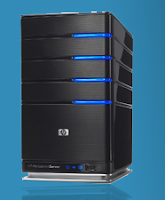
Your storefront carries a few servers, from HP and Systemax and the software itself but we'll probably see some more manufacturers coming out with these servers as the interest seems to grow. Just search for Windows Home Server in the storefront to bring up a list of available products.
Thursday, December 18, 2008
Fulfillment Fee
Just in case you have not heard, as of January 1st 2009 we will be charging a Reseller Fulfillment Fee of $2 or 2% on the order total, whichever is higher. We will only be taking this out of order where you have added a markup. So, if you're only purchasing products for yourself or for resale and your purchasing this @MyCost, this does not apply to you.
This will allow us to keep product prices competitive and continue offering our services to you free of any membership or usage fees, despite the increase in shipping costs, distributor minimum order fees, and credit card processing fees.
We want everyone to know that, despite the current economic situation, our company remains committed to the thousands of resellers that have signed up since we founded our company and would like to thank you for your support. We wish you and your family Happy Holidays and a prosperous 2009!
Wednesday, November 5, 2008
Are You Ready for a Change?
We now have a new President. The country has voted for change. The beginning of a new year is right around the corner. Are your ready for 2009?If you're having problems in your computer consulting business because of the current economic conditions, constantly having price issue battles with your customers or you would just like to increase your income in your business.....then it's time for a change in your business. A change for the good.
One definition of insanity is continuing to do the same things over and over and over again, but expecting different results. There has to be a better way....and there is.
It can all start with a Free Report, created by one of our resellers, Steve Hurst, "The 7 Biggest Mistakes Computer Consultants Make With Their Business And How To Avoid Them!"
Once you read his Free Report, you'll discover the answers to mistakes you may be making in your computer consulting business. Mistakes that could be costing you hundreds and thousands of dollars. This report will help you “fix” those mistakes and increase the income of your business.
You have nothing to lose and everything to gain by getting this Free Report. For your copy, go to:
http://www.HelpMyComputerBusinessGrow.com
Wednesday, July 2, 2008
XP here to stay - at least for a little longer
Microsoft has been talking about phasing out XP for a long time now but June 30th was the real beginning of the end. Microsoft is sticking to its plan to cease providing PC makers with XP to preload on new PCs after June 30, as Microsoft is now letting customers know. Free Microsoft XP support through the Microsoft web site until April of next year and paid support is available until 2014.If you or your customers don't want, or can't upgrade to Vista, we have a solution, at least until January of 2009. There are two different options available:
1) On most models, when you pick the OS, you can see an option that specifies you can downgrade to XP Pro. The system will come installed with Windows Vista Business but you can download and install XP.
2) In a few weeks you will see an added option called "Imaging Service". If you select the option "Custom Image Downgrade to Microsoft Windows XP Pro" you will receive the system with XP Pro installed and restore CD's for both Vista and XP.
If you have any questions in regards to this, do not hesitate to contact me.
Wednesday, April 16, 2008
Gas prices too high? Support remotely!
With gas prices being as high as they are (we're paying over $4 a gallon now here in California), you have at least thought about charging your customers a little more for on-site service to make up for the increased cost.Even though this might seem the logical thing to do, you might want to reconsider. In today's economy your customer is certainly not going to be happy with a price increase and might look for alternatives or putting of certain service issues altogether. You'll probably make more friends if you can tell them that, with new technology, you can actually save them time and money.
Enter Remote Assistance.
The Solution
I'm using the term "remote assistance" loosely but it basically means that, with the right software, and a fast Internet connection between you and your customer, you can access your customers' computer from anywhere you have an Internet connection. This allows you to install software, set up peripherals , perform maintenance, troubleshoot and even teach customers.
Before I list some of the different options, I want you to realize that each option comes with its own peculiarities and usually means installation of some type of software on the users machine. Because of the large number of different options I will only discuss a few below. Make sure you find the solution that fits your needs by testing it.
Before your install any software on your customers' computer, make sure your customer understands the implications of installing this type of software on his system. For some customers it can be very frightening to know someone can access their PC, and potentially their information remotely.
Here's a small list of companies that offer either SaaS (software as a service) or downloadable software:
http://www.rapidassist.com/
http://www.gotoassist.com/
http://www.radmin.com/
http://www.teamviewer.com/
http://www.remote-desktop-control.com/
http://www.realvnc.com/
https://secure.logmeinrescue.com/HelpDesk/Home.aspx

